If you own a Samsung Galaxy A56, having quick access to the official user guide can make your experience smoother and help you get the most from your device. Here’s a straightforward, step-by-step approach to finding and downloading the user guide for your Samsung Galaxy A56.

Why Download the Galaxy A56 User Guide?
Allow me to explain why you should get the Galaxy A56 manual before we go into the how-to:
- Step-by-step instructions: Navigate setup, software, camera, connectivity, and security features with clear directions.
- Troubleshooting help: Quickly resolve issues on your own, saving time and hassle.
- Discover hidden features: Uncover secret tricks and time-saving shortcuts.
- Stay updated: Manuals are frequently updated for new Android versions, keeping you in the know.
Where to Find the User Guide for Samsung Galaxy A56
There are several trusted ways to access or download the official user guide. Here’s what works best for Galaxy A56 users:
1. Download directly from Samsung’s support website.
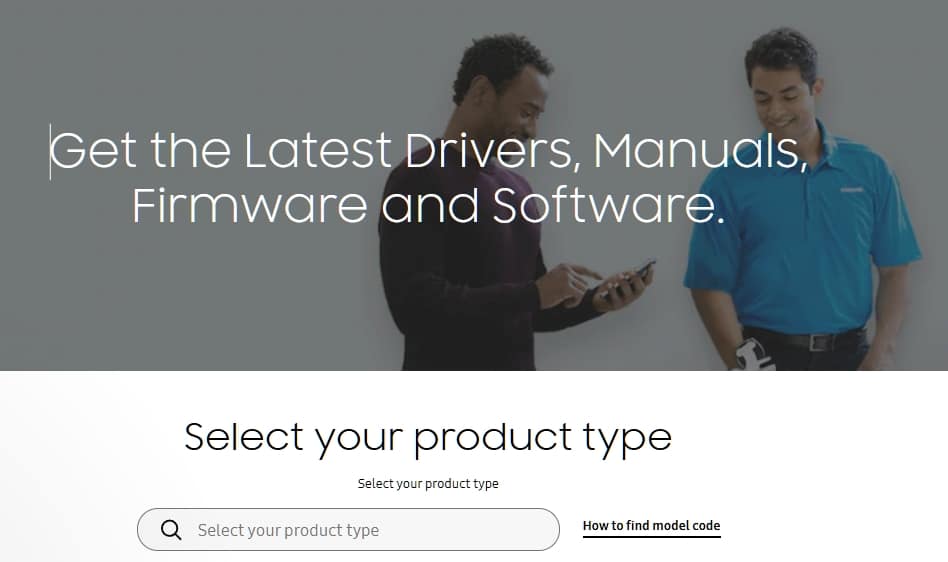
Samsung offers all official resources—user manuals, software updates, and FAQs—on its support pages. To download:
- Visit the Samsung Support homepage.
- In the search bar, enter your device’s model number (e.g., Galaxy A56 or SM-A566B).
- Select your region or country if prompted.
- Click your device in the search results.
- Scroll down until you see Manuals & Downloads.
- Choose your preferred language and tap Download next to the “User Manual (PDF)” link.
The PDF manual will download straight to your device or computer for easy offline access.
Pro Tip: Always search for your exact model number to get the most accurate version for your software and carrier settings.
2. Access the Digital User Guide on Your Device
Samsung’s latest devices, including the Galaxy A56, come equipped with a built-in digital user manual. Here’s how to find it:
- Open Settings on your Galaxy A56.
- Scroll down and look for Tips and User Guide, Help, or User Manual (the exact name may vary).
- Tap the option that appears, then choose User Guide.
- The guide opens in your browser—no downloads needed! Browse topics, use the search bar, or explore features right from your phone.
This tool is ultra-handy if you don’t want to store extra files or need instant answers.
3. Third-Party Manual Libraries and Apps
For offline access or alternative formats, you can try trusted manual library sites or the Samsung User Manual app available on certain app stores. Downloading from these sources ensures you always have the latest manual, even if you lose it or want to read it on an e-reader.
Be the Samsung Galaxy A56 expert!
Explore the incredible features of your Samsung Galaxy A56. Downloading the official user guide is the first step toward mastering every aspect of your smartphone. With clear instructions, troubleshooting tips, and intelligence from Samsung’s trusted resources, you’ll be equipped to get the most out of your device right from the very start.
So go ahead, download that manual, and get ready to unlock the full power of your Galaxy A56. Happy exploring!
For your convenience, always access or download the user guide from the official Samsung Support portal or directly through your device’s Settings for the safest, most up-to-date information.